
Local · Private · Windows & Mac
Bunny OS
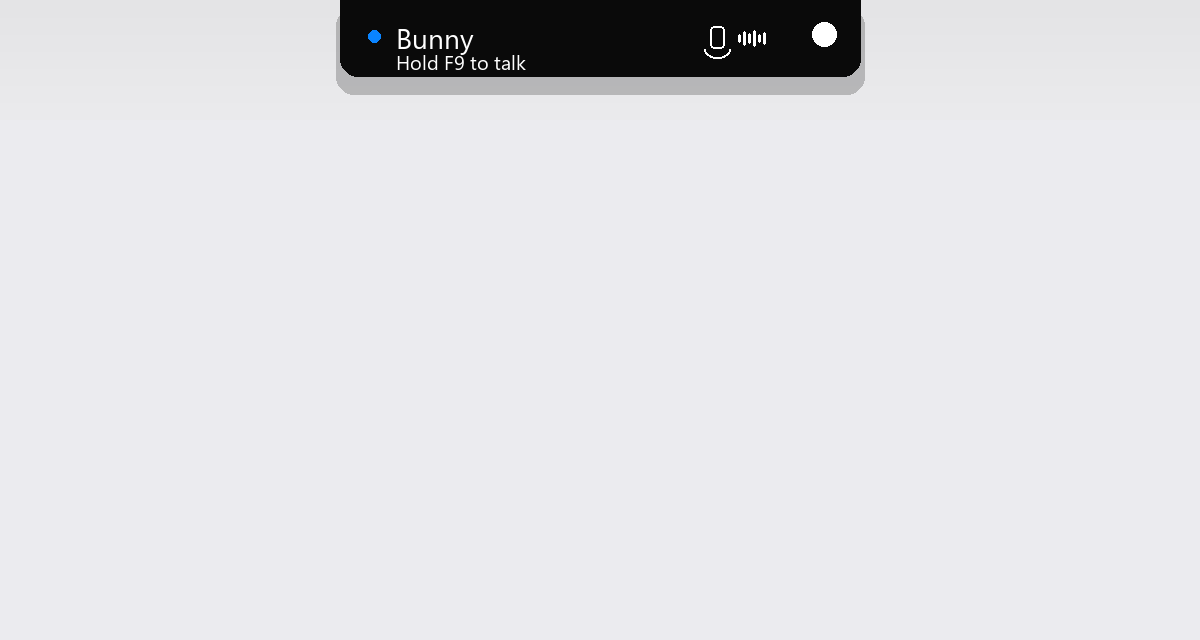
A voice helper for your computer. Hold F9, speak, and Bunny can open apps, search YouTube, or chat — all on your PC. No account. No Bunny cloud. Lives in a sleek top-edge island that expands when you talk.
Bunny OSWhat Bunny can do
Built for people who want a voice helper that stays on their computer — Windows and Mac, no account, no Bunny cloud.
Push-to-talk
LocalGoal
Listen, understand a request, and act with allowlisted tools only.
Capture audio in memory
Done
Transcribe with Whisper
Done
Match voice intent
Running…
Speak the result
Pending
Push-to-talk stays on your PC. A sleek top-edge island expands while Bunny listens — speech is transcribed in memory, raw audio never hits disk.
New in the app
Top-edge voice island
A thin sleek bar sits at the top of your screen. When Bunny listens or speaks, it expands into a hanging status panel — flat to the edge, soft bottom, no floating toast.
- · Idle: hairline bar flush to the display edge
- · Active: expands with title, mic, and waveform
- · Click the island to open the full Bunny window

First time? Do this
- 1. Download for Windows or Mac above.
- 2. Open the file. On Windows, if you see a warning: More info → Run anyway.
- 3. Follow the short setup (mic + optional chat helper).
- 4. Hold F9 and talk — watch the top island expand — or click the Bunny icon near the clock.
Menu